Generating Links
What you need to do to create a tracking link for attracting traffic.
1.
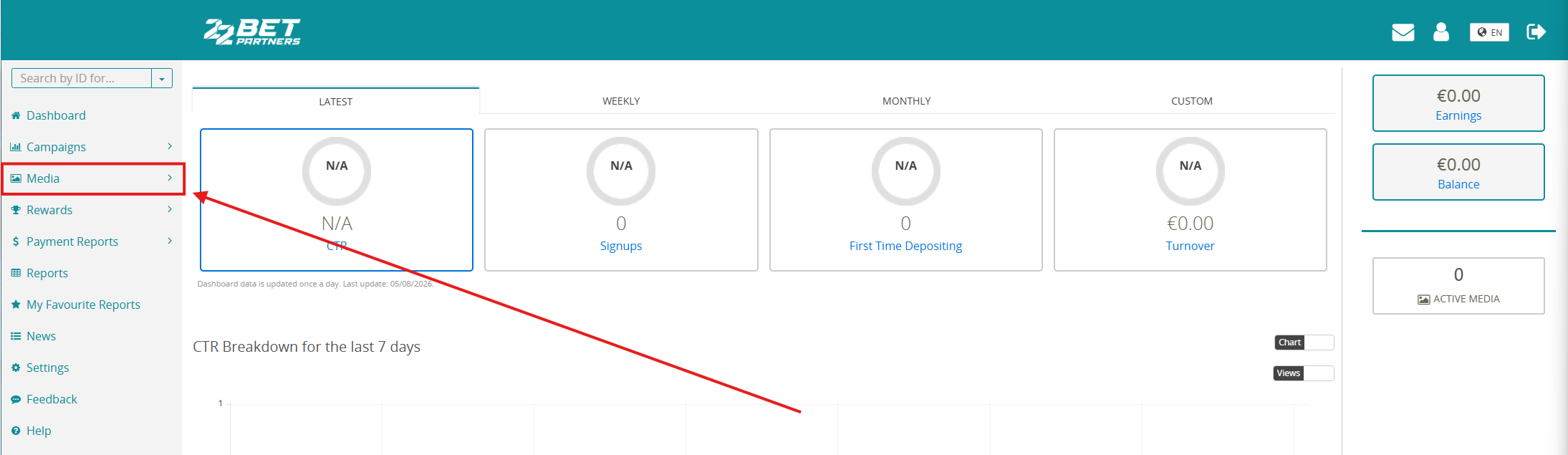
Go to the Media section.
2.
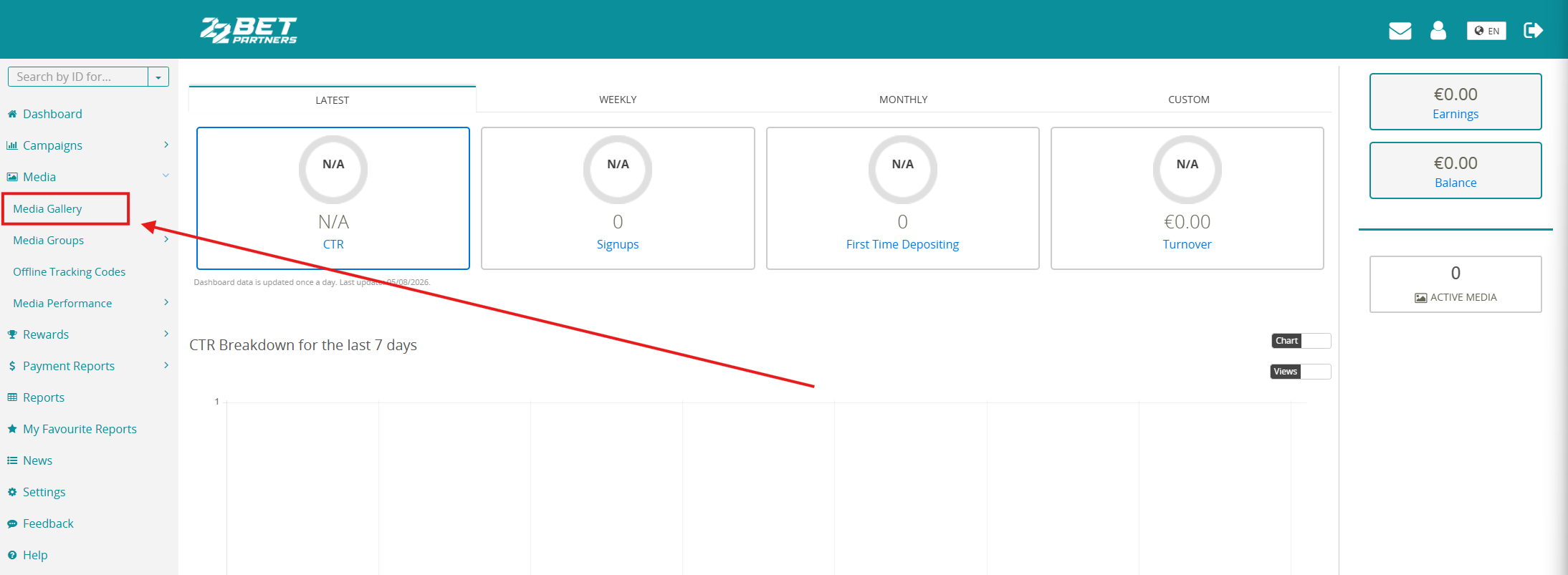
Select Media Gallery.
3.
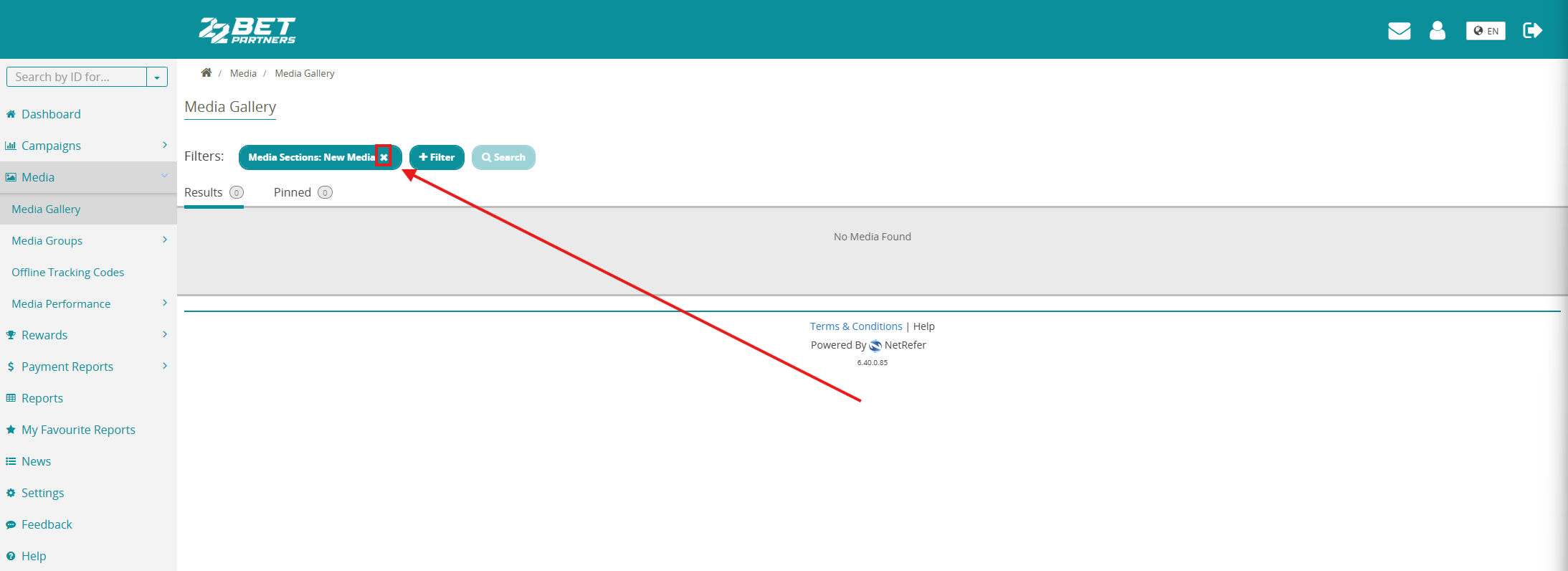
Make sure to click the X in the filters.
4.
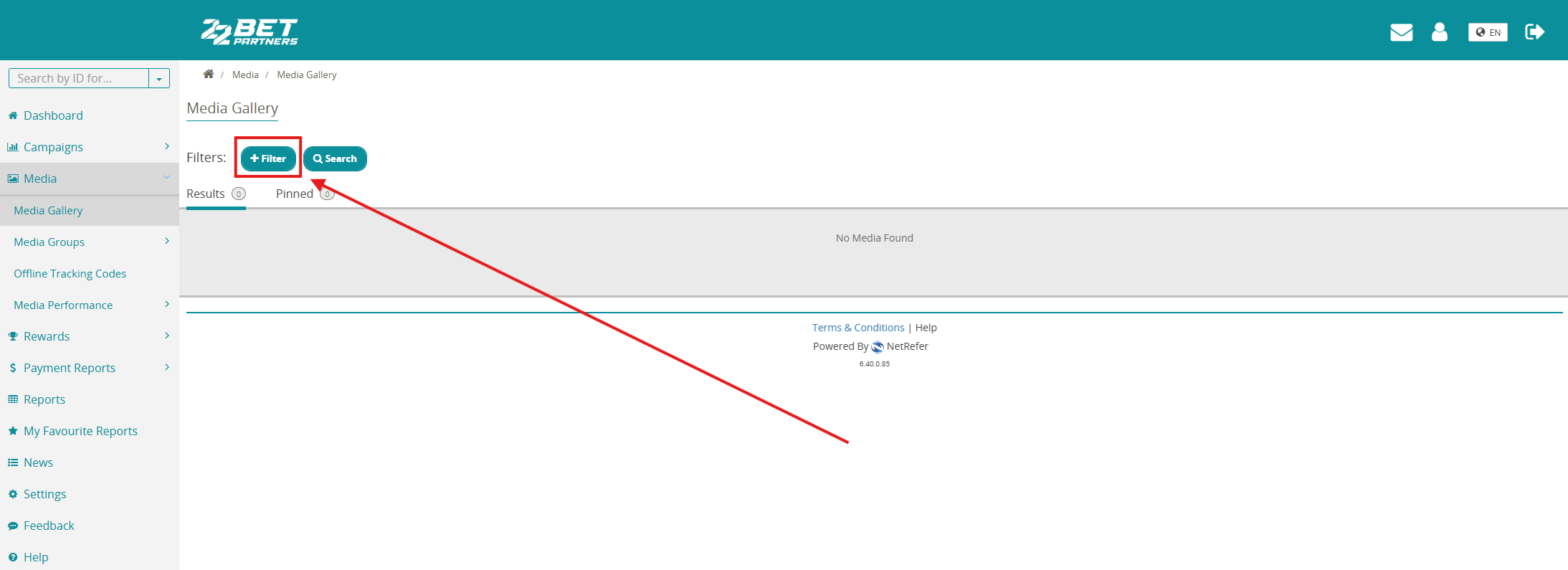
Click the filter.
5.
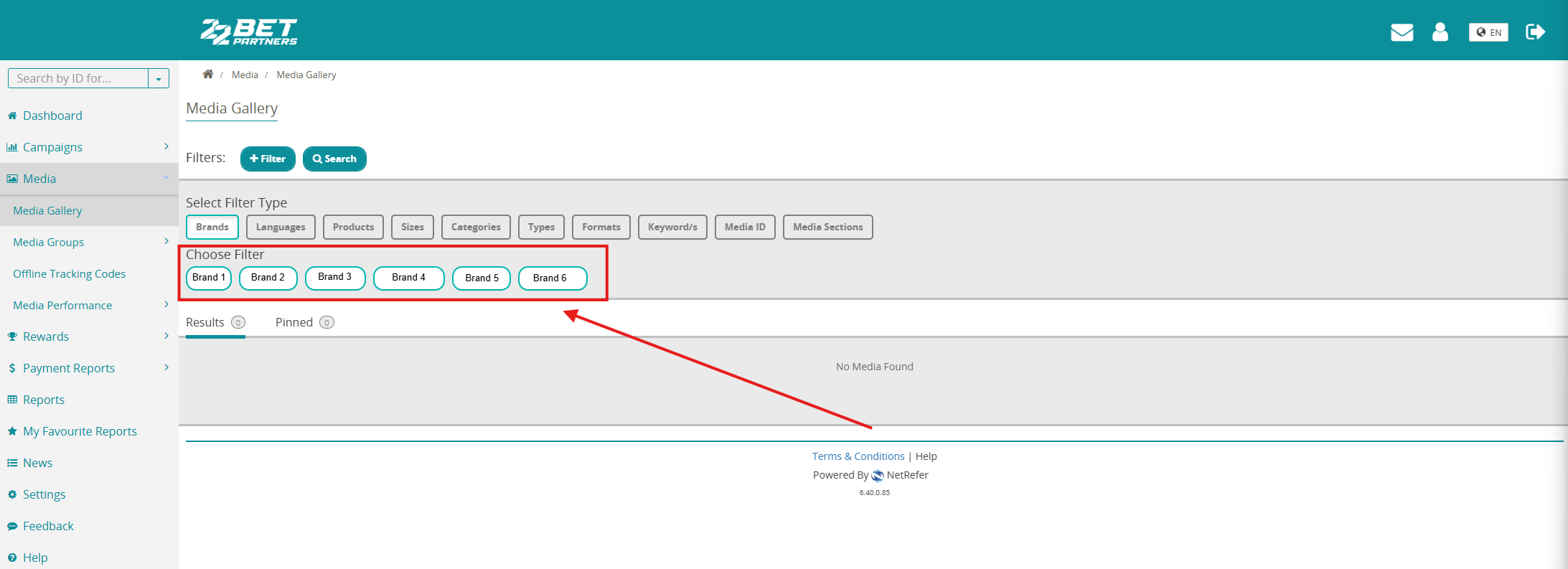
Select the brand for which you want to create a link. In our example, we selected Brand 1.
6.
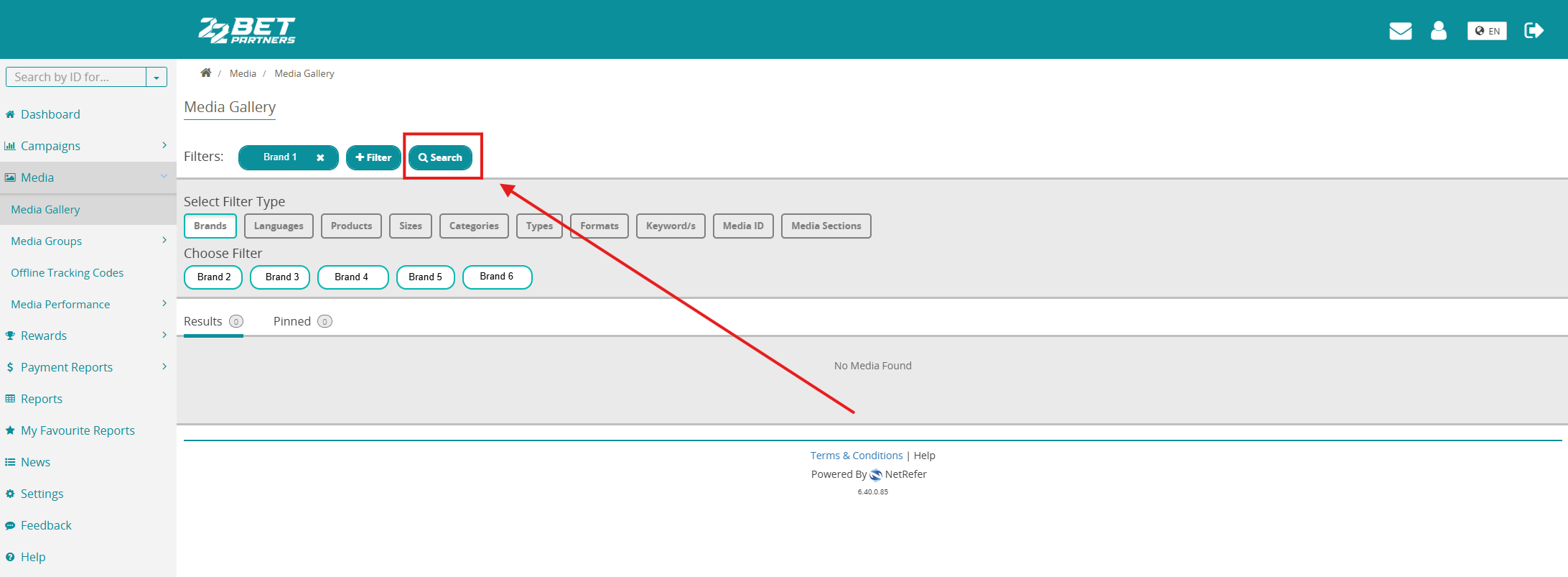
Click Search.
7.
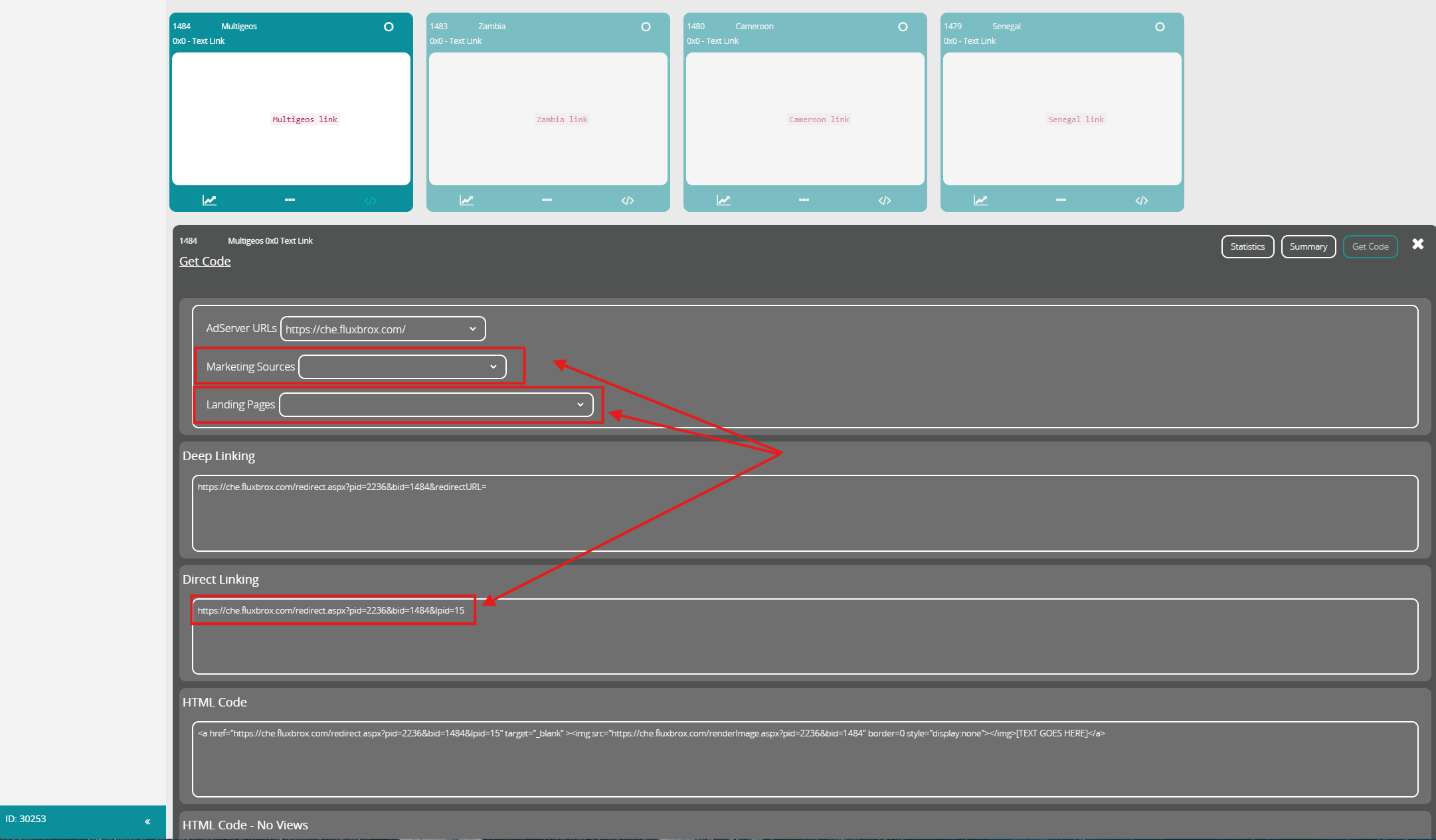
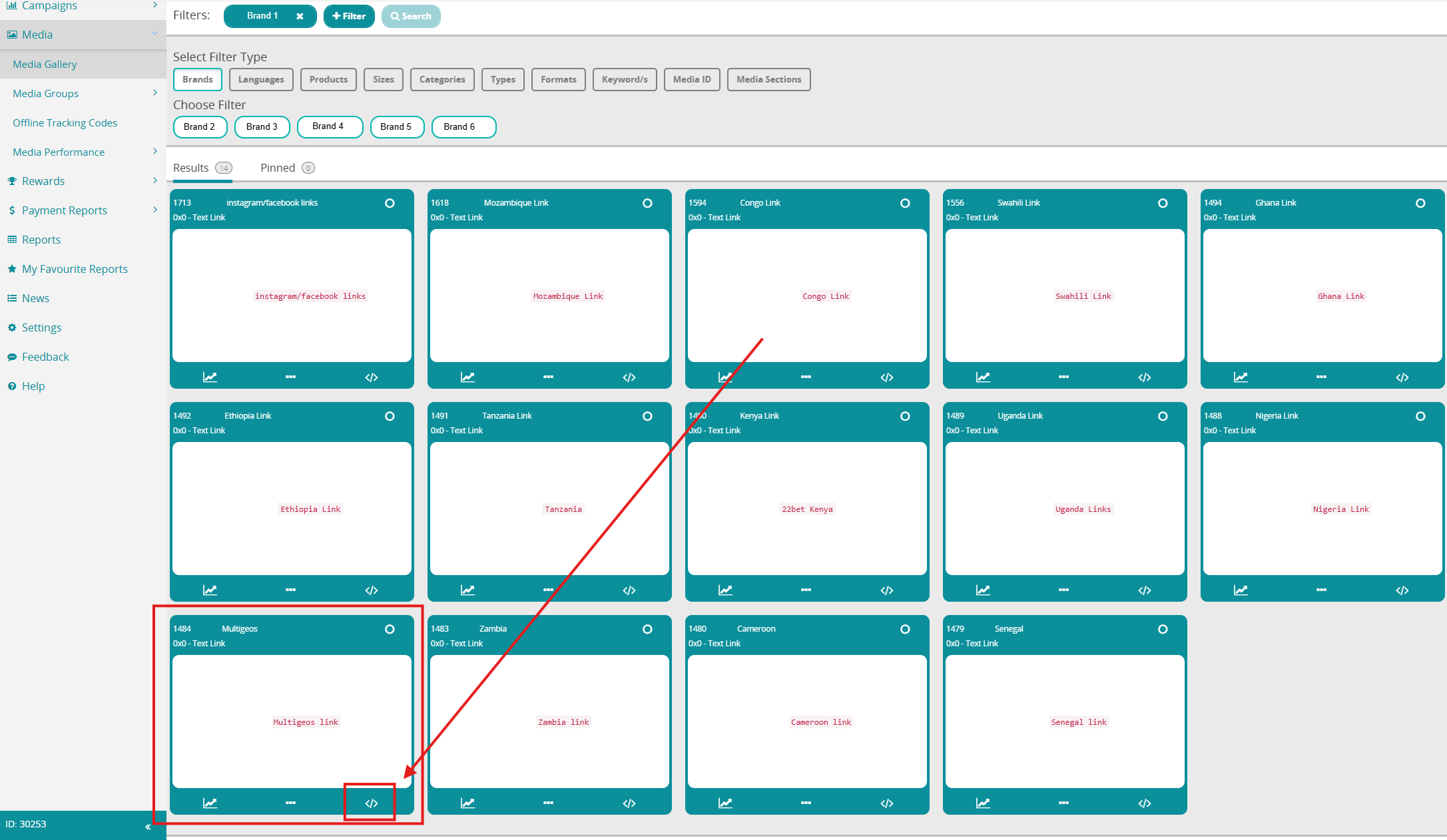
You will see all media available for the selected brand. In our example, we need a link for Multigeos, which is the media item with ID 1484. Once you have found the required media item, click the </> icon to generate the link.
8.
In the window that opens directly below the media item, select the Marketing Source and Landing Page. You can then copy the link from Direct Linking and use it to attract traffic.