Creating Marketing Sources
What you need to do to create a campaign so that you can separate your traffic and conveniently view statistics.
1.
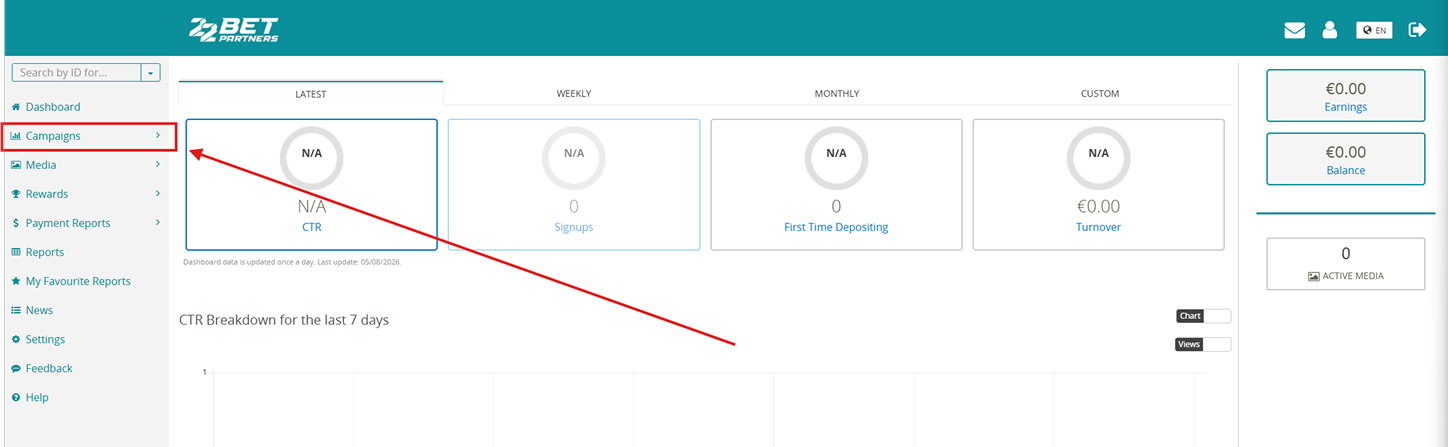
Click Campaigns in the menu on the left.
2.
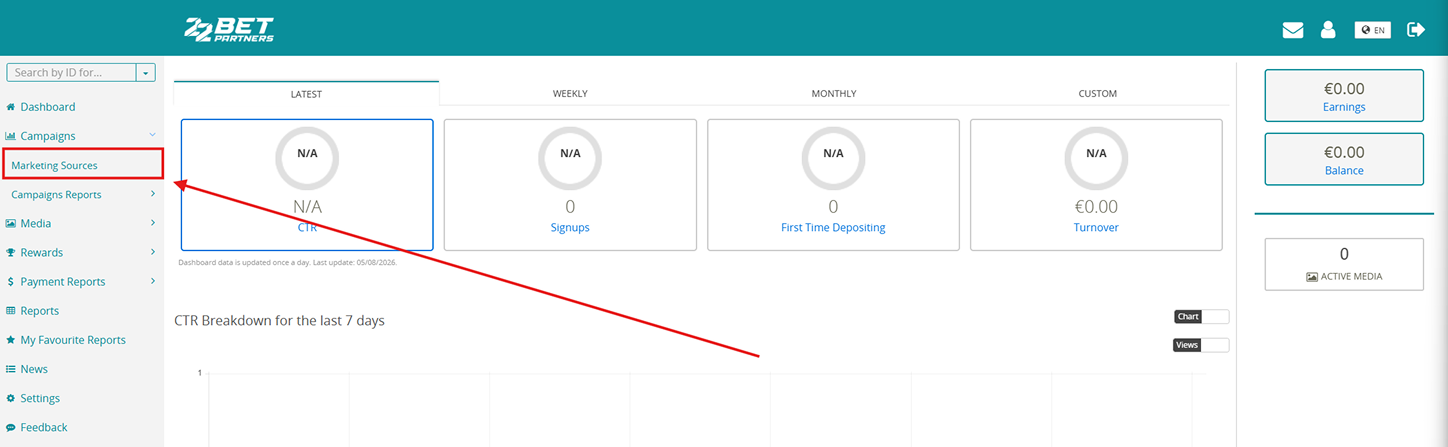
Select Marketing Sources.
3.
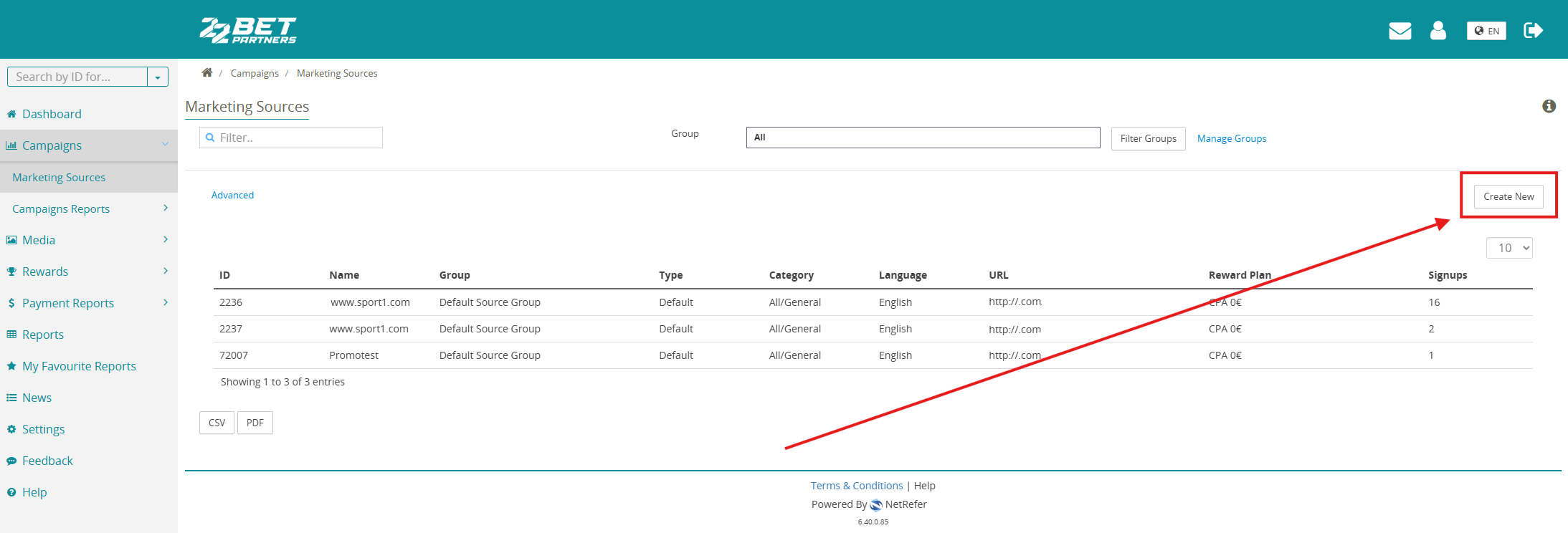
Click Create New.
4.
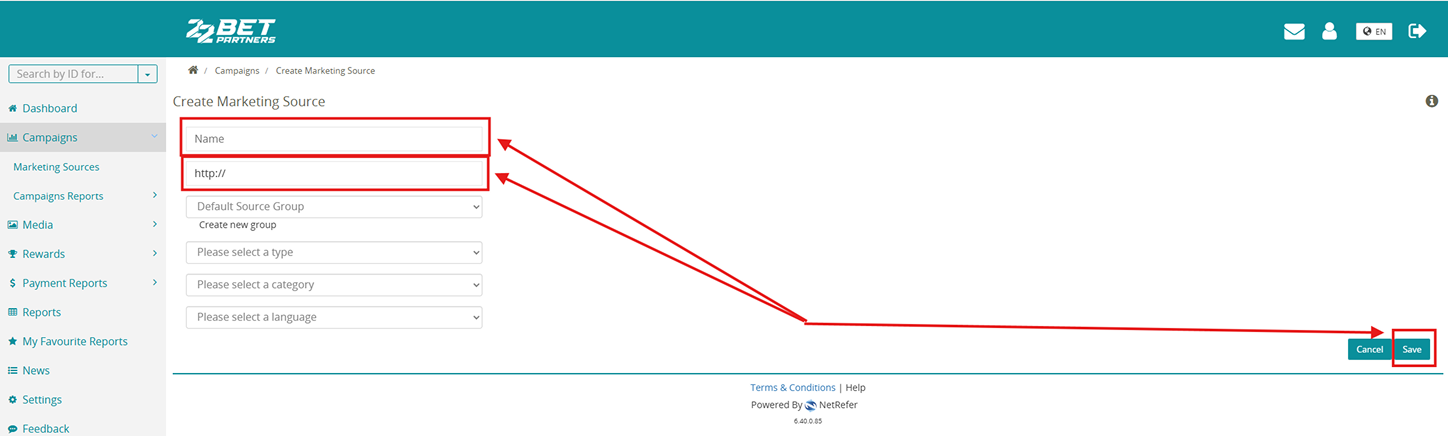
Enter the source name and URL. If your traffic source does not have a valid URL, you can enter anything, for example, default.com. Then click Save.